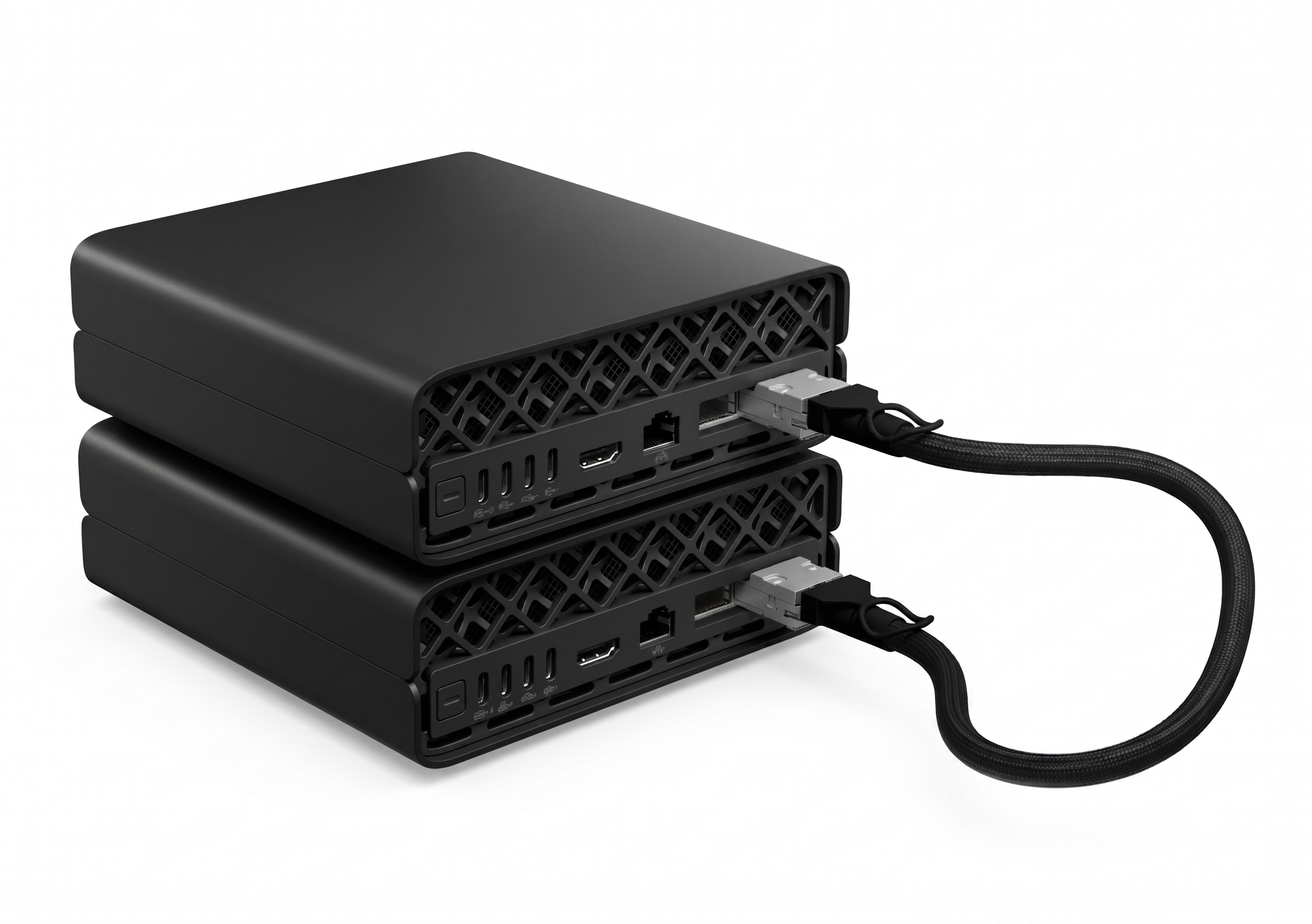
The ZGX nano AI box is a small table top machine released by HP for small-scale LLM model training and inference. It comes with the GB10 video card and a unified memory of 128 GB. We can also connect two or more nano boxes so that mutliple boxes work together like one machine so to increase the memory for running larger size models. Here in this post, I am going to write down the notes for connecting two nano boxes, using the vLLM framework [1].
vLLM is a library for LLM inference and serving, i.e., we can download LLM models to the machine and serve the model through the vLLM framework. For the moment, that is the only way that I found to be able to take advantage of the connected cluster for serving the LLM models with the ZGX nano boxes. I am not sure whether using something like Ollama or LM studio also supports the connected cluster. Will need to explore further.
To get ready for serving LLM models through the connected cluster, we need to physically connect the two ZGX nano boxes using the QSFP cable which supports 200 GbE LAN (200 Gigabit Ethernet Local Area Network). The instructions in Ref. [2] can be followed for the setup. The instructions should be self-explaining to be followed, and here I am noting down several side notes,
-
Each machine has two physical ports for the QSFP connection. When running the
ibdev2netdevto check the interface on each machine, we will see four names showing and that is because each port has two associated names. Here, we only need to pay attention to the names with those names starting withenpwhile ignoring those starting withenP. -
In my case, I have two nano boxes and therefore only one of the ports on each machine will be used for the connection. When running the
ibdev2netdevcommand, only one of the interfaces (that start withenp) will be shown asUpwhile the other one showsDown. As for which one of them showsUp, it depends on which port on each machine we are using for the connection. -
Since I am connection two nano boxes, for the network interface configuration, I am going with the option-1 in Ref. [2].
-
For the setup of passwordless SSH connection setup, I am going with the option-1 to use the provided script which is also attached here.
-
If going with the option-2 of Step-4 for setting up the passwordless SSH connection, when running the command
ip addr show enp1s0f0np0to show the IP address associated with the network interface, we will see that the interface that showsUp(see one of the bullet points above) will give us an IP address while the other one showingDownwill not show any IP address – this is expected since the interace isDown, i.e., not used.
To server LLM models on the connected cluster, initially I was trying to follow the instructions in Ref. [3], but it was NOT SUCCESSFUL for me. I had to follow the instructions provided in Ref. [4]. I was basically starting from the follow command for building the distributing the docker image across the cluster,
git clone https://github.com/eugr/spark-vllm-docker.git
cd spark-vllm-docker
./build-and-copy.sh -c
Here, it should be mentioned that the vLLM framework will be running with docker containers and the whole setup is centering around running docker containers collaboratively across multiple ZGX nano boxes. Once the docker image is successfully built and distributed across the cluster, we can run LLM models. First, we need to download the model, using the command,
./hf-download.sh QuantTrio/MiniMax-M2-AWQ -c --copy-parallel
Here, it is assumed that we are still located inside the github repo cloned above, and here we are using the QuantTrio/MiniMax-M2-AWQ model. Via the command, the model will be downloaded and distributed automatically to machines connected in the cluster. Then run the command below,
./launch-cluster.sh exec vllm serve \
  QuantTrio/MiniMax-M2-AWQ \
  --port 8000 --host 0.0.0.0 \
  --gpu-memory-utilization 0.7 \
  -tp 2 \
  --distributed-executor-backend ray \
  --max-model-len 128000 \
  --load-format fastsafetensors \
  --enable-auto-tool-choice --tool-call-parser minimax_m2 \
  --reasoning-parser minimax_m2_append_think
which will run the model on all available cluster nodes.
References
[1] https://catalog.ngc.nvidia.com/orgs/nvidia/containers/vllm?version=26.04-py3
[2] https://build.nvidia.com/spark/connect-two-sparks/stacked-sparks